A free Discord giveaway bot runs a complete prize draw from one command. With SaqrBot you run /giveaway, set the prize, a duration, and the winner count — the bot posts an embed with a live countdown and an Enter button, then draws the winners automatically when time runs out. No manual counting, no premium lock.
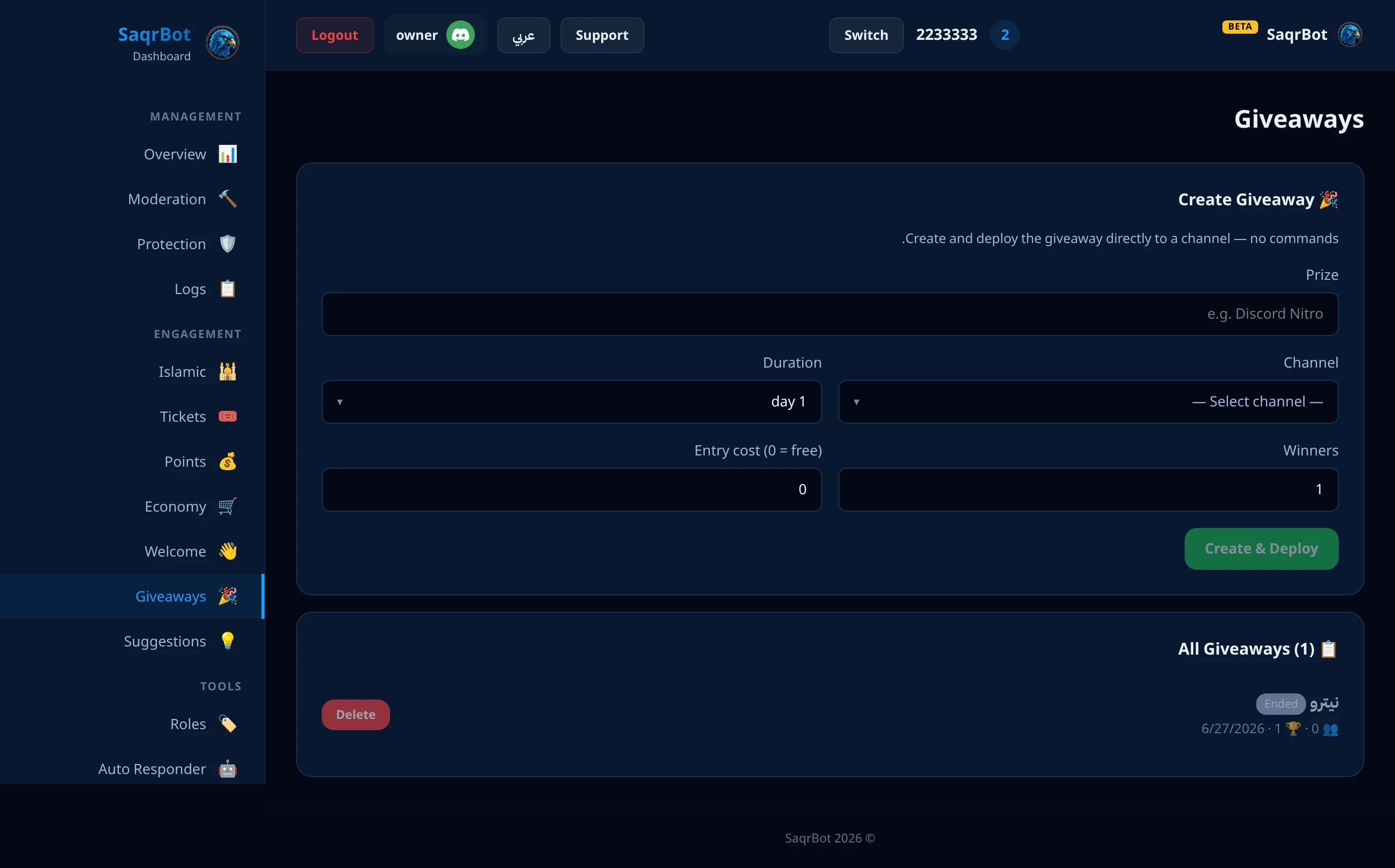
Best free Discord giveaway bot: use /giveaway — timer, winners, auto-draw. Free.
How to Run a Discord Giveaway with /giveaway
With SaqrBot's free Discord giveaway bot, run the /giveaway command and fill three things: the prize, the duration (for example 1h, 1d, or 7d), and the winners count (defaults to 1 if you leave it). The bot posts an embed showing the prize, a live relative countdown timer, the winner count, and the number of entries, plus an Enter button members click to join. When the timer ends, the bot draws the winners automatically and announces them in the channel — every entrant has the same chance unless a bonus role adds extra entries.
Need to charge an entry fee? The /giveaway command has an optional cost option so members spend server economy points to enter (set it to 0 to keep entry free), and a member who leaves the giveaway gets the points back. That ties your giveaways to your in-server currency for extra engagement.
Why Not Just Reactions?
Some server owners try to run giveaways manually with reactions. The problem is you have to count participants yourself, pick a random winner, and there is no countdown timer. A dedicated Discord giveaway bot tracks entries through a single Enter button, runs the countdown, and draws winners automatically — so every participant has the same chance unless a bonus role adds extra entries. See all the bot's Discord bot features and the full Discord bot commands list.
Reroll a Winner
Winner didn't claim the prize? Staff with Manage Server can run /giveaway-reroll in the giveaway's channel to redraw its latest ended giveaway, or paste the giveaway's message link to pick a specific one. Name one winner to replace just that member, or leave it out to redraw every winner. You can also right-click the giveaway message and choose Apps, then Reroll giveaway. Previous winners are never drawn again, entry requirements are checked again at the moment of the reroll, there is no limit on rerolls, and every reroll is written to your moderation log.
Tips
Regular giveaways, good prizes, advance notice.
Entry Requirements: Role, Level, Activity and Bonus Chances
required-role, min-level, activity-period + min-messages, blocked-role, and bonus-role + bonus-entries (1–5) — all optional options on /giveaway to control exactly who can enter and who gets extra chances.
How to run a Discord giveaway with /giveaway
Run /giveaway
Run the /giveaway command and set the prize, the duration (for example 1h, 1d, or 7d), and the winners count (defaults to 1 if you leave it).
Members enter
The bot posts an embed showing the prize, a live relative countdown timer, the winner count, and the number of entries, plus an Enter button members click to join.
Auto-draw winners
When the timer ends, the bot draws the winners automatically and announces them in the channel — every entrant has the same chance unless a bonus role adds extra entries.
Frequently Asked Questions
What is the best free Discord giveaway bot?
SaqrBot runs a complete giveaway with one command. Use /giveaway to set the prize, a duration, and how many winners you want. The bot posts an embed with a live countdown timer and an Enter button, then draws the winners automatically when time runs out — no manual counting, no premium lock. It is free forever.
How do I run a Discord giveaway?
Run the /giveaway command and fill three things: the prize, the duration (for example 1h, 1d, or 7d), and the winners count (defaults to 1 if you leave it). The bot posts an embed with the prize, a live countdown timer, the winner count, and the entry count, plus an Enter button. When the timer ends, the bot draws the winners automatically and announces them in the channel.
Can I charge an entry fee for a giveaway?
Yes. The /giveaway command has an optional cost option so members spend server economy points to enter (set it to 0 to keep entry free), and a member who leaves the giveaway gets the points back. That ties your giveaways to your in-server currency for extra engagement.
Why use a giveaway bot instead of reactions?
Running giveaways manually with reactions means counting participants yourself, picking a random winner by hand, and having no countdown timer. A dedicated Discord giveaway bot tracks entries through a single Enter button, runs the countdown, and draws winners automatically — so every participant has the same chance unless a bonus role adds extra entries.
How many winners can a giveaway have?
You set the winners count when you run /giveaway — it defaults to 1 if you leave it. The bot draws that many winners automatically when the timer ends — up to 50 winners per giveaway.
Can I reroll a giveaway winner?
Yes. Run /giveaway-reroll in the giveaway's channel, or paste the giveaway's message link, to redraw an ended giveaway; name one winner to replace just that member, or right-click the giveaway message and choose Apps, then Reroll giveaway. Previous winners are excluded, requirements are checked again, and every reroll is logged.
Can I limit a giveaway to certain members?
Yes. /giveaway has optional entry requirements: a required role, a minimum level, a minimum number of messages this week or this month, and a blocked role to exclude entirely. You can also give a bonus role 1 to 5 extra weighted entries. Leave every option out for an open giveaway.
Is the SaqrBot giveaway bot free?
Yes. SaqrBot's giveaway bot is free forever with no premium locks, and it comes bundled with 15+ other systems under one bilingual web dashboard — so one bot and one role run giveaways alongside economy, moderation, welcome, and more, in English or Arabic.
Related
Related links.