A Twitch alerts bot reacts to what happens on your channel — it posts a chat alert and shows an on-stream overlay every time someone subscribes, resubscribes, gifts subs, cheers with bits, raids you, follows, or when your stream goes live or ends. SaqrBot listens to Twitch EventSub in real time, fires a message you wrote for each event, and renders a matching overlay in OBS — every alert customizable and fully bilingual.
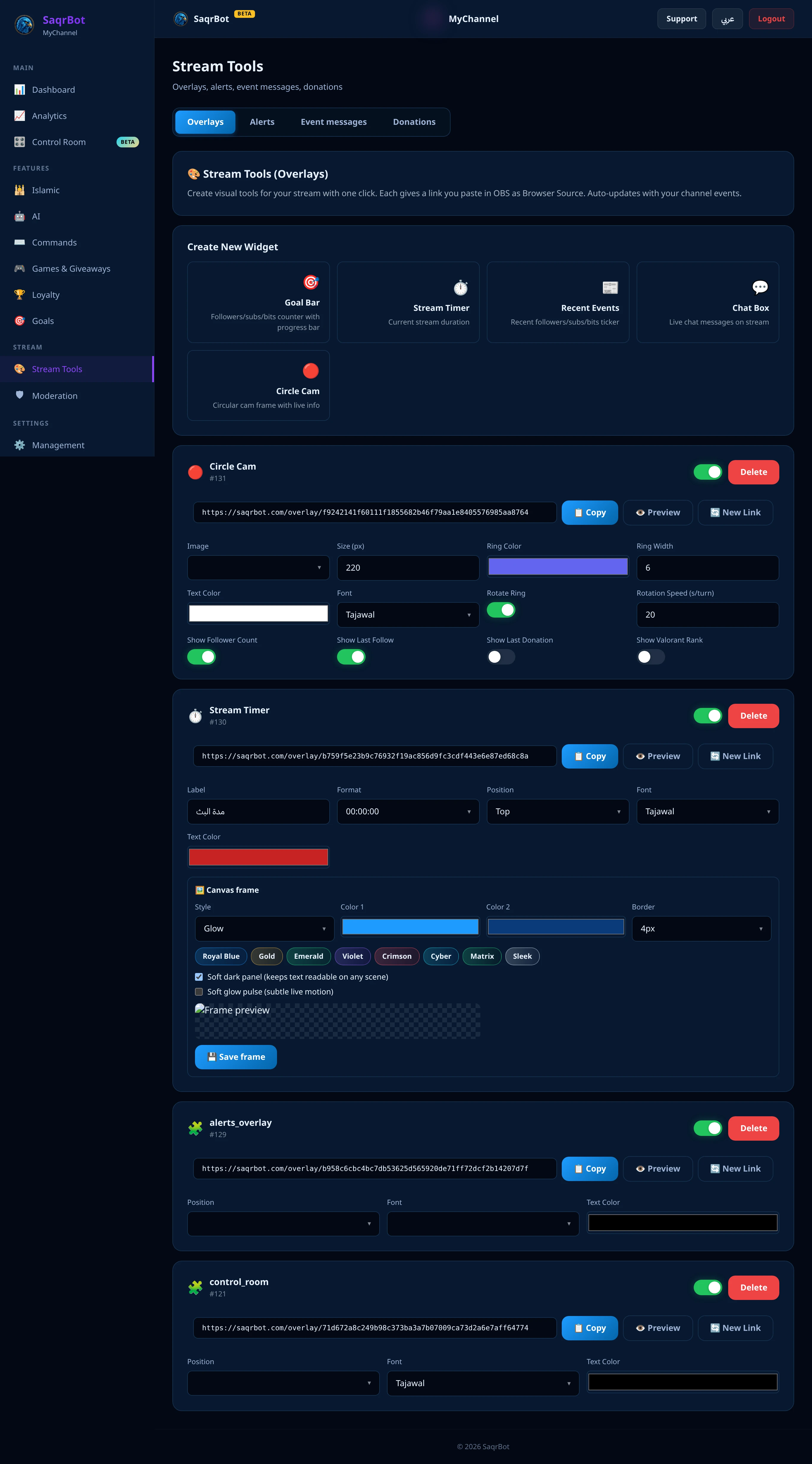
What a Twitch Alerts Bot Does
A Twitch alerts bot watches your channel for live events and responds the instant they happen. SaqrBot subscribes to Twitch EventSub, so the second a sub, raid, cheer, or follow lands, it writes a chat message and pushes a matching on-stream overlay to OBS — reliably, server-side.
Every Alert Event It Covers
SaqrBot fires alerts for new subscriptions, resubs (with cumulative months), gifted subs (with the gift count), cheers/bits, raids (with viewer count), follows, and stream online/offline. Each event posts a chat alert plus an on-stream overlay in OBS. Variables like {user}, {months}, {bits}, {viewers}, and {total} fill in automatically.
Chat Alerts and On-Stream Overlays
Alerts land in two places: the chat alert is a message SaqrBot posts in your Twitch chat, and the on-stream overlay is a browser source you drop into OBS that animates the same event live. Toggle each event independently from the dashboard — chat-only, overlay-only, or both.
Customizable, Bilingual Alert Messages
Every alert message is yours to write — a distinct line for subs, resubs, gifts, cheers, raids, follows, and going live, each with its own template and variables. And because SaqrBot is bilingual to the core, your alerts speak Arabic or English to match your channel — native Arabic with correct right-to-left text, not a machine-translated fallback.
Setup and Explore More
Connect your channel and SaqrBot subscribes to the EventSub events for you, then you toggle alerts from the dashboard. Go deeper with the full Twitch alerts bot feature set, the Twitch commands (prefix ! on Twitch), or our Twitch chat bot guide.
Frequently Asked Questions
What is a Twitch alerts bot?
A Twitch alerts bot reacts to what happens on your channel — it posts a chat alert and shows an on-stream overlay every time someone subscribes, resubscribes, gifts subs, cheers with bits, raids you, follows, or when your stream goes live or ends. SaqrBot listens to Twitch EventSub in real time, fires a message you wrote for each event, and renders a matching overlay in OBS — every alert customizable and fully bilingual.
Which Twitch events does SaqrBot send alerts for?
SaqrBot fires alerts for new subscriptions, resubs (with cumulative months), gifted subs (with the gift count), cheers and bits, raids (with the incoming viewer count), follows, and stream online and offline. Each event posts a chat alert and a matching on-stream overlay in OBS, and variables like {user}, {months}, {bits}, {viewers}, and {total} are filled in automatically.
What's the difference between chat alerts and on-stream overlays?
The chat alert is a message SaqrBot posts in your Twitch chat — great for thanking subscribers and welcoming raiders where everyone reads. The on-stream overlay is a browser source you drop into OBS that animates the same event live on your stream for viewers watching the video. You toggle each event independently from the dashboard, so you can run chat-only, overlay-only, or both.
Can I customize the Twitch alert messages?
Yes. Every alert message is yours to write — set a distinct line for subs, resubs, gifts, cheers, raids, follows, and going live, each with its own template and variables. And because SaqrBot is bilingual to the core, your alerts can speak Arabic or English to match your channel, with right-to-left text that reads correctly — no machine-translated fallback.
Is the SaqrBot Twitch alerts bot free?
Yes. SaqrBot's alerts are free forever — bilingual chat alerts and on-stream overlays for every event, all customizable. Connect your channel and SaqrBot subscribes to the EventSub events for you, then you toggle alerts and edit messages from the dashboard in minutes.
How do I set up Twitch alerts with SaqrBot?
Connect your channel and SaqrBot subscribes to the EventSub events for you, then you toggle alerts and edit messages from the dashboard. For the on-stream overlay, add the browser source to OBS. Everything is configured from the bilingual dashboard — no code and no separate alert service needed.
Related
Related reading.
Ready to set up Twitch alerts?
Free forever. Bilingual alerts, chat and overlay, in minutes.
Connect Twitch