Twitch bot commands are the short chat keywords — like !uptime or !so — that trigger your bot to reply, run an action, or update your stream. SaqrBot ships with a full set of built-in Twitch bot commands for viewers and for mods and streamers, plus the tools to build your own custom commands, timers, and counters. Every command uses the ! prefix.
Built-in Twitch Bot Commands for Viewers
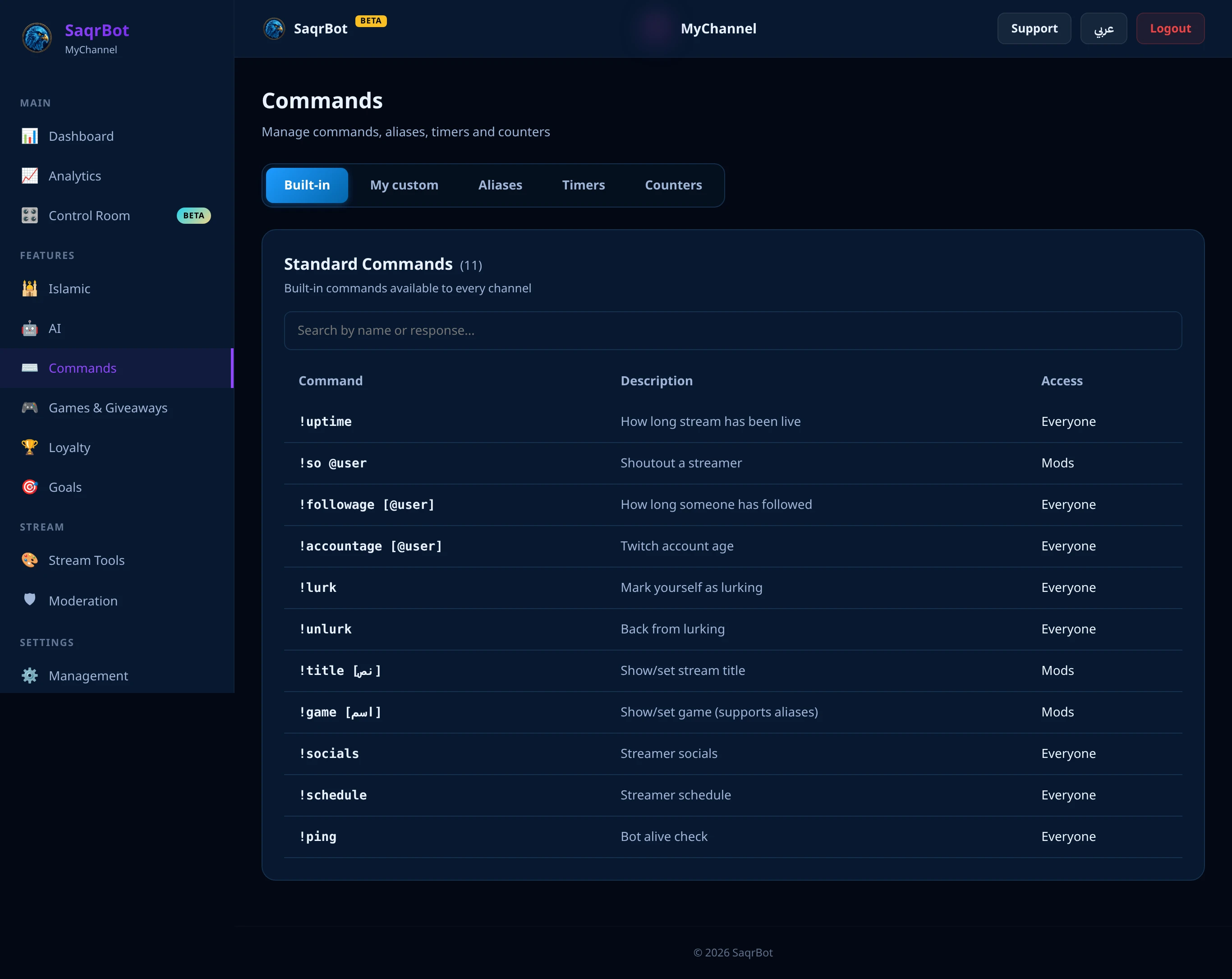
These Twitch bot commands work in any channel where SaqrBot is enabled. XP: !level, !xp @user, !top, and !leaderboard. Stream info: !uptime, !followage, !accountage, and !rank (Valorant). Social and presence: !socials, !schedule, !lurk, !unlurk, !commands, and !ping. The shoutout command !so (or !shoutout) is mods-only.
Mod and Streamer Twitch Bot Commands
Some Twitch bot commands change your live stream and are mods-only. !title shows or (with text) updates the stream title on Twitch. !game (or !category) shows or sets the current game, and understands shortcuts like !game v for VALORANT. Both write directly to your Twitch channel.
Custom Commands, Timers, and Counters
Beyond the built-ins, mods build their own commands from chat. Custom commands: !addcom, !editcom, !delcom. Timers: !addtimer (fires only when interval AND minimum chat lines are met), !timers, !deltimer. Counters: !counter add/set/reset, bump with !name +1 or !name -1, and !counters lists them.
How to Use Twitch Bot Commands
Using Twitch bot commands is simple: connect your Twitch account and the built-ins work immediately. The ! prefix is fixed on Twitch (never a slash). Type !commands to link to your channel's full list. Browse the full Twitch bot commands page, explore SaqrBot for Twitch, or read how the Twitch chat bot adds AI, XP, and games.
Frequently Asked Questions
What are the Twitch bot commands SaqrBot supports?
SaqrBot ships a full set of built-in Twitch bot commands. For viewers: !level, !xp @user, !top, and !leaderboard for XP; !uptime, !followage, !accountage, and !rank (Valorant) for stream info; and !socials, !schedule, !lurk, !unlurk, !commands, and !ping. For mods and streamers: !title, !game (or !category), and the shoutout command !so. You can also build custom commands, timers, and counters from chat.
What prefix do Twitch bot commands use?
On Twitch the default prefix is ! (never a slash), and you can change it from the dashboard to ? $ . > ~ + or -. Every command starts with your prefix, like !uptime or !so @user. Connect your Twitch account and the built-in commands work immediately — type !commands in chat to see your channel's complete list, including any custom commands you've added.
How do I add a custom Twitch command?
Mods can build custom commands straight from chat. Use !addcom !name your response to create a command that replies with your text (great for !discord or rules), !editcom to update it, and !delcom to remove it. There's no code to write — custom commands, timers, and counters are all managed from chat or the dashboard.
Which Twitch commands are mod-only?
Commands that change your live stream or manage the bot are mods-only: !title and !game (or !category) update your stream's title and game on Twitch, !so (or !shoutout) promotes another streamer, and the management commands !addcom, !addtimer, and !counter are restricted too. Viewers can run the public commands; SaqrBot checks permissions automatically.
Can SaqrBot run timers and counters?
Yes. Timers schedule a recurring chat message with !addtimer name seconds message — but a timer only fires when both the interval AND a minimum number of chat lines have passed, so it never spams a dead chat (intervals run 300–86400 seconds, up to 10 timers). Counters keep a running tally like !deaths or !wins: create with !counter add name, bump with !name +1 or !name -1, and !counter reset zeroes it.
Do the Twitch commands work in Arabic?
Yes. SaqrBot is fully bilingual on Twitch — its built-in commands, responses, and the dashboard work in both Arabic and English, so an Arabic-speaking streamer and chat get replies in their own language. The ! prefix is the same in both languages.
Related
Related reading.
Ready to add SaqrBot to Twitch?
Free forever. Every command works the moment you connect.
Connect Twitch