A Discord custom commands bot lets you create your own text commands — short triggers that make the bot reply with whatever message you set. To create custom commands in Discord with SaqrBot, you pick a trigger word, write the reply text, and enable it — then anyone typing the trigger after the server prefix $ gets your saved response instantly.
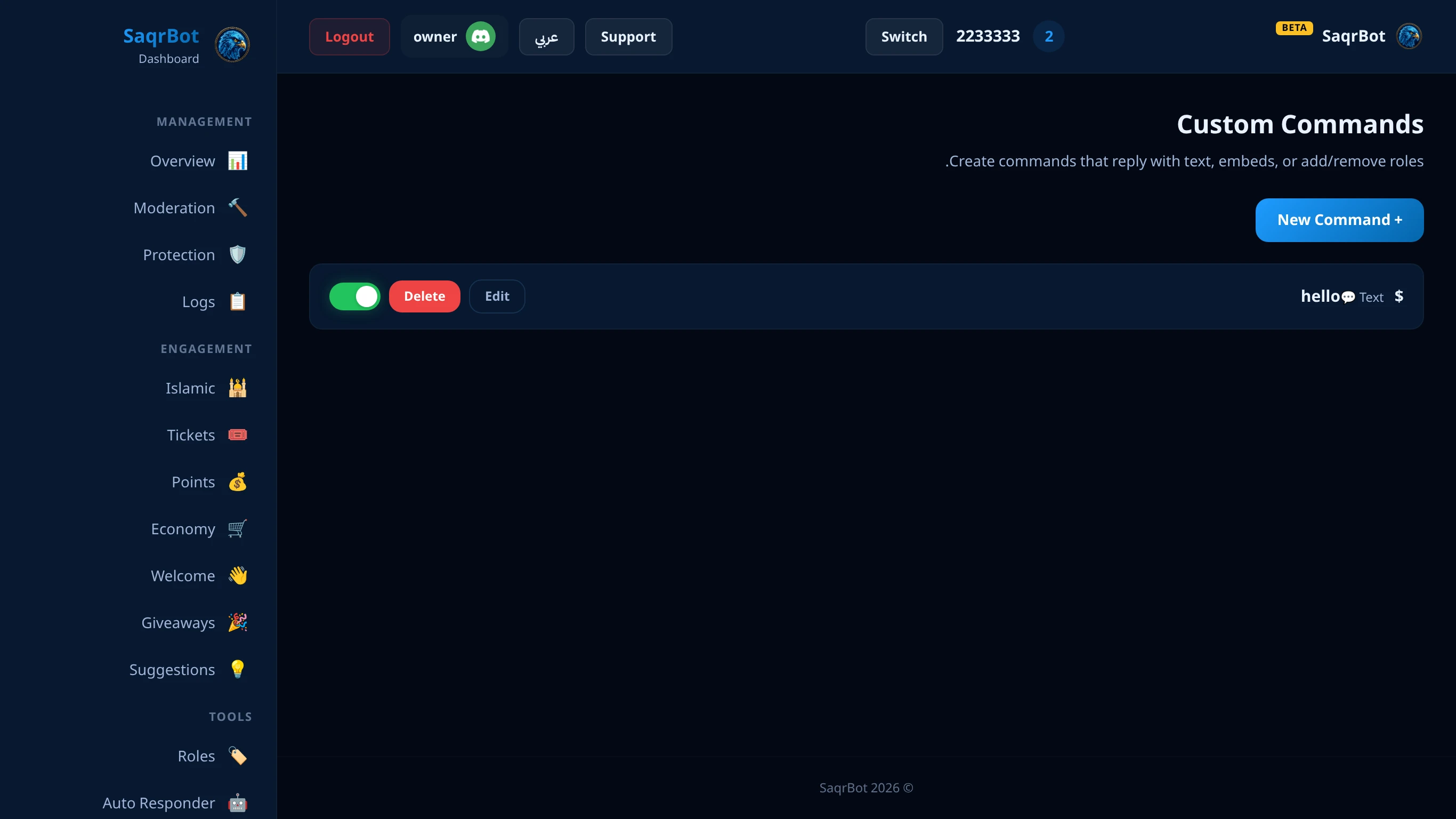
What a Discord Custom Commands Bot Does
A custom commands bot turns any word into a shortcut for a saved reply. You define a trigger, and when someone types it after the server prefix $, the bot replies with your text. SaqrBot reads commands case-insensitively, and your reply can include emojis, channel mentions, and placeholders like {user}, {server}, and {members} that fill in live.
How to Create Custom Commands in Discord
Creating a command takes three fields: the name (the trigger word), the response (the text the bot sends), and the enabled toggle. Once saved, it is live the moment a member types the prefix followed by the name — for example $rules. You can also scope a command to specific channels. SaqrBot's prefix is $ for text commands, while its built-ins also work as slash commands.
Manage Commands: Add, Edit, and Delete
Manage commands from the dashboard: add a new one in seconds, edit a response when your rules or links change, toggle a command off without deleting it, or delete it entirely. Because each command stores its own enabled flag, you can keep seasonal commands ready and flip them on only when needed.
Arabic Command Names Work Too
SaqrBot's custom commands are Unicode-aware, so the trigger word does not have to be English. You can name a command in Arabic — for example $القوانين — and it fires exactly like an English trigger. Paired with SaqrBot's fully bilingual dashboard, you build and manage every command in the language your server actually speaks.
Explore More
See all 15+ systems SaqrBot offers, browse the full Discord command list, or read how to set up a Discord auto responder bot.
Frequently Asked Questions
What is a Discord custom commands bot?
بوت أوامر مخصصة يخليك تنشئ أوامر نصية — كلمات قصيرة تخلي البوت يرد برسالة تحددها، تحفظها مرة والبوت يتكفل بها للأبد وببلاش.
How do I create custom commands in Discord?
يحتاج ثلاثة حقول: الاسم وكلمة التشغيل، الرد، ومفتاح التفعيل. بعد الحفظ يشتغل لما يكتب العضو $ متبوعة بالاسم مثل $rules، وتقدر تقصره على قنوات محددة.
What prefix do custom commands use?
البادئة $ للأوامر النصية، فأمر rules يشتغل كـ $rules بدون حساسية لحالة الأحرف، وميزات البوت تشتغل كسلاش فما يصير تعارض.
Can I use placeholders in custom command replies?
إيه، الرد يقبل إيموجي وإشارات قنوات ومتغيرات مثل {user} و{server} و{members} تتعبّى مباشرة وقت ما يشتغل الأمر.
Can custom commands have Arabic names?
إيه، تدعم اليونيكود — تقدر تسمي الأمر بالعربي مثل $القوانين ويشتغل تمامًا مثل الإنجليزي، وتديره من اللوحة الثنائية اللغة.
How do I edit or delete a custom command?
تديرها من لوحة صقر بوت: ضيف بثواني، عدّل الرد، أطفئ الأمر بدون حذف، أو احذفه — وكل أمر له مفتاح تفعيل خاص فتخلي أوامر المواسم جاهزة وتشغّلها وقت الحاجة.
Related
Related reading.