A Discord suggestions bot lets members post ideas in one dedicated channel, vote each one up or down with 👍 and 👎, and lets staff approve or deny it from a dashboard — so feedback never gets lost in general chat. With SaqrBot you set it up in seconds using /suggest-setup, free.
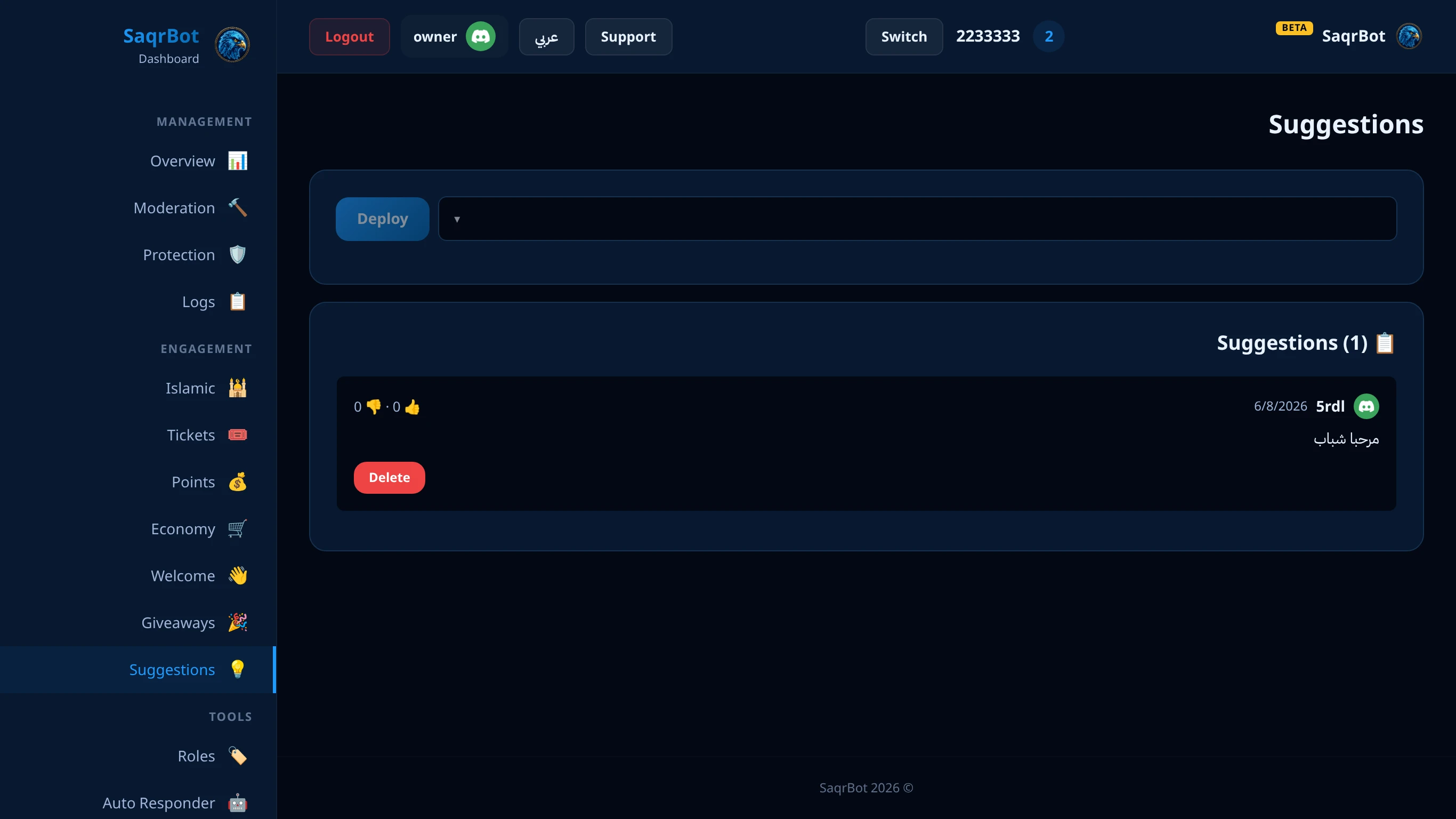
A Discord suggestions bot lets your members post ideas in one dedicated channel, vote each idea up or down, and lets your staff approve or deny it — instead of suggestions getting lost in general chat. With SaqrBot you set one up in seconds: run /suggest-setup in the channel you want, and the bot drops a suggestion panel with a button. Members click it, type their idea in a pop-up, and it posts as a clean embed with 👍 and 👎 voting. Staff then approve or deny each suggestion right from the web dashboard.
What a Discord Suggestions Bot Does
A Discord suggestions bot gives your community a structured way to share ideas. Instead of feedback scattered across general chat, every suggestion lands in one channel as its own embed — showing who suggested it and a live vote tally. Members react with 👍 to support an idea or 👎 to push back, and the bot keeps the up and down counts updated on the message.
Set It Up with /suggest-setup
Setting up the Discord suggestions bot takes one command. Go to the channel where you want suggestions to live and run /suggest-setup — it's admin-only. SaqrBot posts a suggestion panel with a 💡 button. Any member who clicks it gets a pop-up form, types their idea (up to 1000 characters, links blocked), and the bot posts it as an embed with 👍 and 👎 reactions added. There's a 24-hour cooldown per member. You can also deploy the panel to any channel from the dashboard's Suggestions page — no command needed.
Voting and Staff Approval
Once an idea is posted, the community votes: 👍 to support, 👎 to oppose. The bot tracks both counts and shows them on the suggestion. Your staff then reviews each one from the dashboard, where every suggestion is listed with its author and vote tally. From there you approve or deny it — and the bot edits the original message to mark it ✅ Approved or ❌ Rejected. Delete an old idea from the dashboard and the bot removes the post too.
Why an All-in-One Suggestions Bot Wins
A single-purpose suggestions bot does one job, but you'll soon add a separate bot for tickets, another for moderation, and a third for welcome messages — then juggle four roles and four dashboards. SaqrBot bundles suggestions with 15+ other systems under one bilingual web dashboard, so the same panel that manages your suggestions also runs moderation, tickets, economy, leveling, and giveaways.
How to set up a Discord suggestions bot
Run /suggest-setup
Go to the channel where you want suggestions to live and run the admin-only /suggest-setup command — SaqrBot posts a suggestion panel with a button.
Members submit ideas
Any member clicks the button, types their idea in a pop-up form (up to 1000 characters), and the bot posts it as an embed with 👍 and 👎 reactions.
Vote and decide
The community votes up or down, then your staff approves or denies each suggestion from the web dashboard, and the bot marks the post Approved or Rejected.
Frequently Asked Questions
What is a Discord suggestions bot?
A Discord suggestions bot gives your community one dedicated channel to post ideas. Each suggestion lands as its own embed showing who suggested it and a live 👍/👎 vote tally, so feedback never gets lost in general chat and your team sees a clear, ranked picture of what members actually want.
How do I set up a suggestions bot in Discord?
With SaqrBot it takes one command: go to the channel you want and run /suggest-setup (admin-only). The bot drops a suggestion panel with a 💡 button. Members click it, type their idea in a pop-up, and it posts as an embed with 👍 and 👎 ready. You can also deploy the panel from the dashboard's Suggestions page — no command needed.
How do members vote on suggestions?
Once an idea is posted, members react with 👍 to support it or 👎 to oppose it, and the bot keeps both counts updated right on the suggestion. That gives staff a ranked view of community demand before anyone acts on it.
Can staff approve or deny suggestions?
Yes. Your staff reviews each suggestion from the dashboard, where every idea is listed with its author and vote tally. From there you approve or deny it, and the bot edits the original message to mark it ✅ Approved or ❌ Rejected so members can see the outcome.
Is the SaqrBot suggestions bot free?
Yes. The suggestions system is free forever with no premium locks — and it comes bundled with 15+ other systems (moderation, tickets, economy, leveling, giveaways) under one bilingual web dashboard, so one bot and one role run everything in English or Arabic.
Does the suggestions bot work in Arabic?
Yes. SaqrBot is fully bilingual — the suggestion panel, embeds, and the entire web dashboard work in both English and Arabic (with RTL), making it a strong fit for Saudi and Gulf servers that want suggestions to read clearly in Arabic.
Explore More
See all 15+ systems SaqrBot offers, browse the full command list, or read our guide on setting up a Discord ticket system.
Related
Related reading.