A Discord ticket bot turns support into private, organized conversations. With SaqrBot you set up a Discord ticket system in minutes by running /ticket-setup.
Step 1: Add SaqrBot
Visit saqrbot.com and click Add to Discord.
Step 2: Run /ticket-setup
In the channel you want, run /ticket-setup. SaqrBot posts a category menu; picking one opens a private ticket channel for the member and your support role.
Step 3: Configure with /ticket-config
Use /ticket-config to set the category, support roles, and log channel. Inside each ticket, staff get Claim and Close buttons.
What Happens on Close
On close, the member rates 1–5 stars, SaqrBot saves an HTML transcript to the log channel, DMs the member, then deletes the channel.
Dashboard Setup
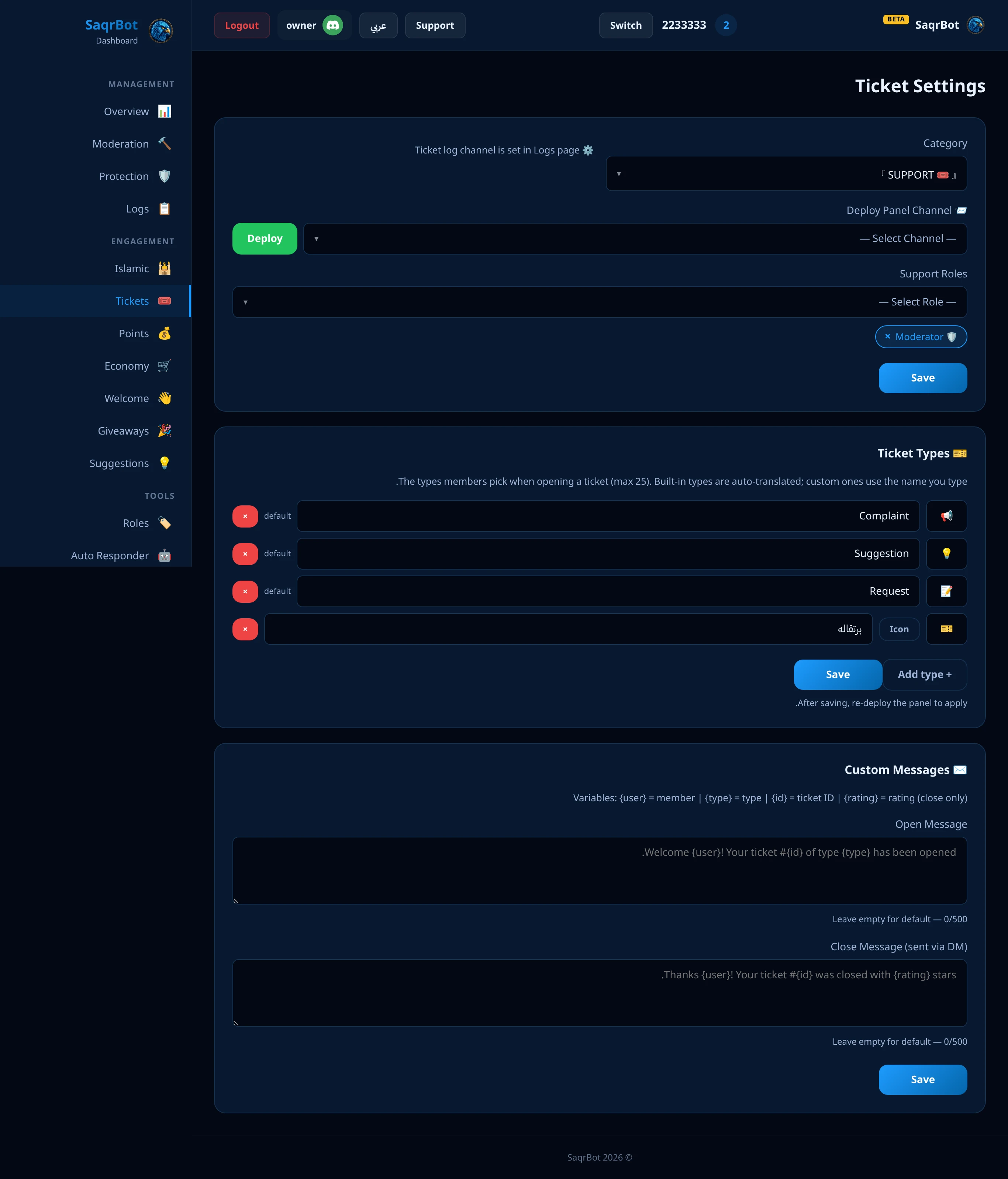
Prefer clicks? Log in at saqrbot.com, open the Tickets page, set it all up and deploy. See the full Discord command list.
Tips
Keep categories clear, assign a support role, use the ticket log, claim tickets, and respond quickly.
Tickets or applications?
A ticket opens a private conversation, which suits support and complaints. If you want every member to answer the same questions, for example to join your staff team, request a partnership or sign up for an event, use a form instead: the answers land in one review channel with Accept and Reject buttons, and a decision can add a role. See the Discord application bot guide.
Related Reading
Explore all SaqrBot Discord features, pair tickets with a Discord logging bot, or set up the best Discord moderation bot.
How to Set Up a Discord Ticket System with SaqrBot
Add SaqrBot to your server
Visit saqrbot.com and click Add to Discord. Grant Administrator permissions and select your server.
Run /ticket-setup to post the ticket panel
In the channel where you want the panel, run /ticket-setup (Administrator only). SaqrBot posts a branded embed with a menu of ticket categories, and picking one opens a private ticket channel for that member and your support role.
Configure the category, support role and log with /ticket-config
Use /ticket-config to point tickets at a Discord category, add one or more support roles, and check status. Set a ticket log channel from your logging settings so every closed ticket is recorded.
Frequently Asked Questions
How do I set up a ticket system in Discord?
Add SaqrBot to your server, then run /ticket-setup in the channel where you want the panel. SaqrBot posts a ticket panel with categories, and when a member picks one it opens a private ticket channel only they and your support role can see. Use /ticket-config to set the category, support roles, and log channel — or do it all from the dashboard Tickets page, no commands needed.
Is the SaqrBot ticket bot free?
Yes. SaqrBot's ticket system is free forever with no premium locks — ticket panels, categories, support roles, the Claim and Close buttons, HTML transcripts, and star ratings are all included at no cost. You add the bot in about 10 seconds and run /ticket-setup.
What happens when a ticket is closed?
On close, the member is asked for a 1–5 star rating, then SaqrBot generates an HTML transcript of the whole conversation and posts it — with the rating and who closed it — to your ticket log channel. The member gets a DM confirming the ticket is closed, and the channel is deleted automatically so your server never fills up with stale ticket channels.
Can I set up the ticket system without using commands?
Yes. Log in at saqrbot.com, select your server, and open the Tickets page. Set the category, support roles, log channel, and the opening and closing messages, then deploy — no commands needed. The slash command /ticket-setup and the $ prefix both work too if you prefer chat.
Can staff claim tickets so two people don't reply at once?
Yes. Inside every ticket, staff get a Claim button to take ownership and a Close button to wrap it up. Asking staff to claim a ticket before replying avoids two people answering at the same time, and every closed ticket is saved to the log so nothing is lost.
Does the ticket bot support Arabic?
Yes. SaqrBot is fully bilingual — the ticket panel, buttons, messages, and the entire web dashboard work in both English and Arabic (with RTL). That makes it a strong fit for Saudi and Gulf servers that want their support tickets and transcripts to read clearly in Arabic.