A Discord logging bot records every server event and routes it to 7 log channels you set with /setlog.
What Gets Logged
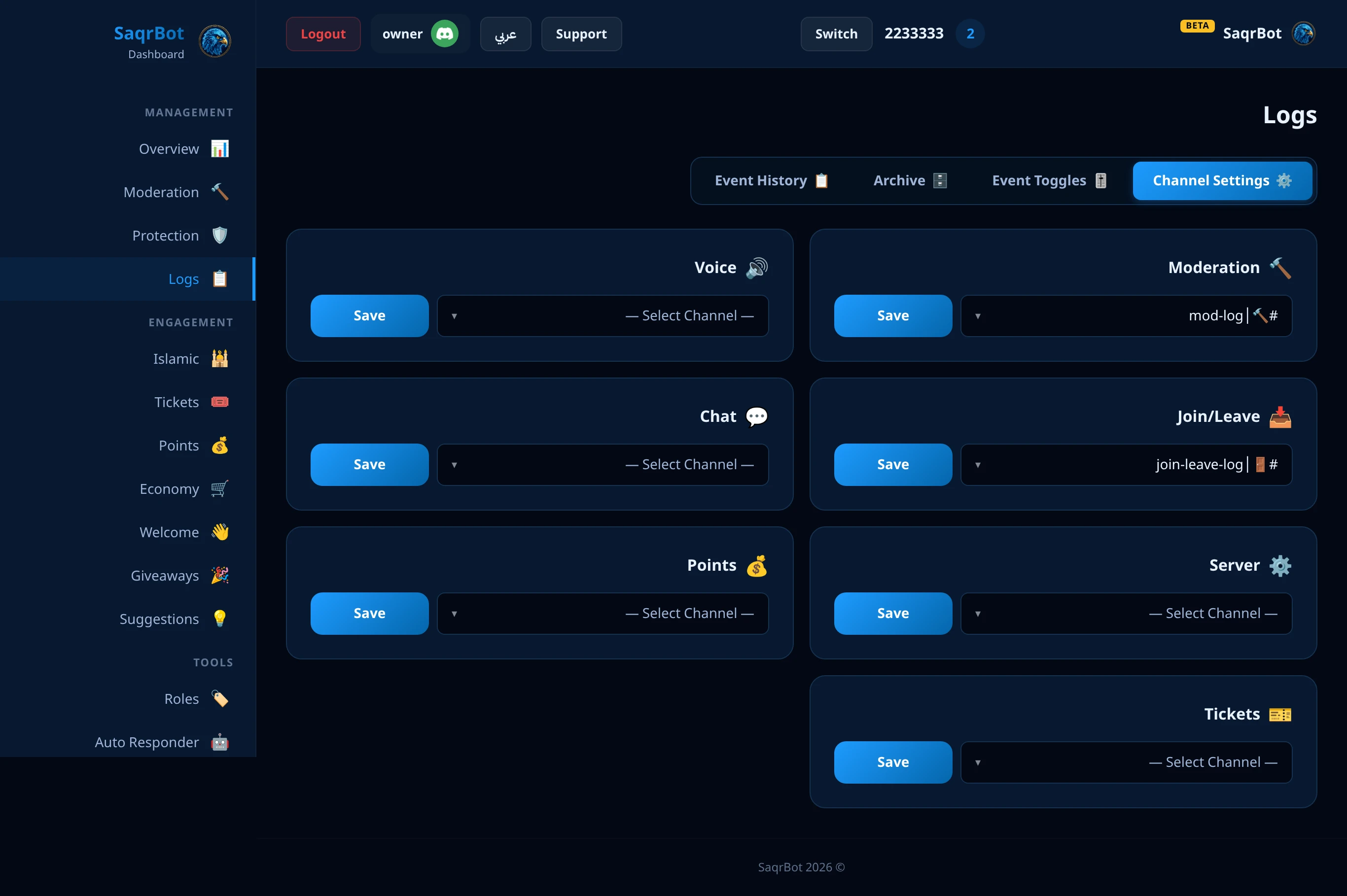
SaqrBot tracks every server event and groups it into 7 routable log channels, with per-event switches in the dashboard.
The 7 Log Channels
The 7 channels: Moderation, Chat, Join/Leave, Voice, Server, Points, Tickets.
What a SaqrBot Log Looks Like
Every log is a Discord embed: a colour bar, the member, a title, a few fields and a footer, in Arabic or English.
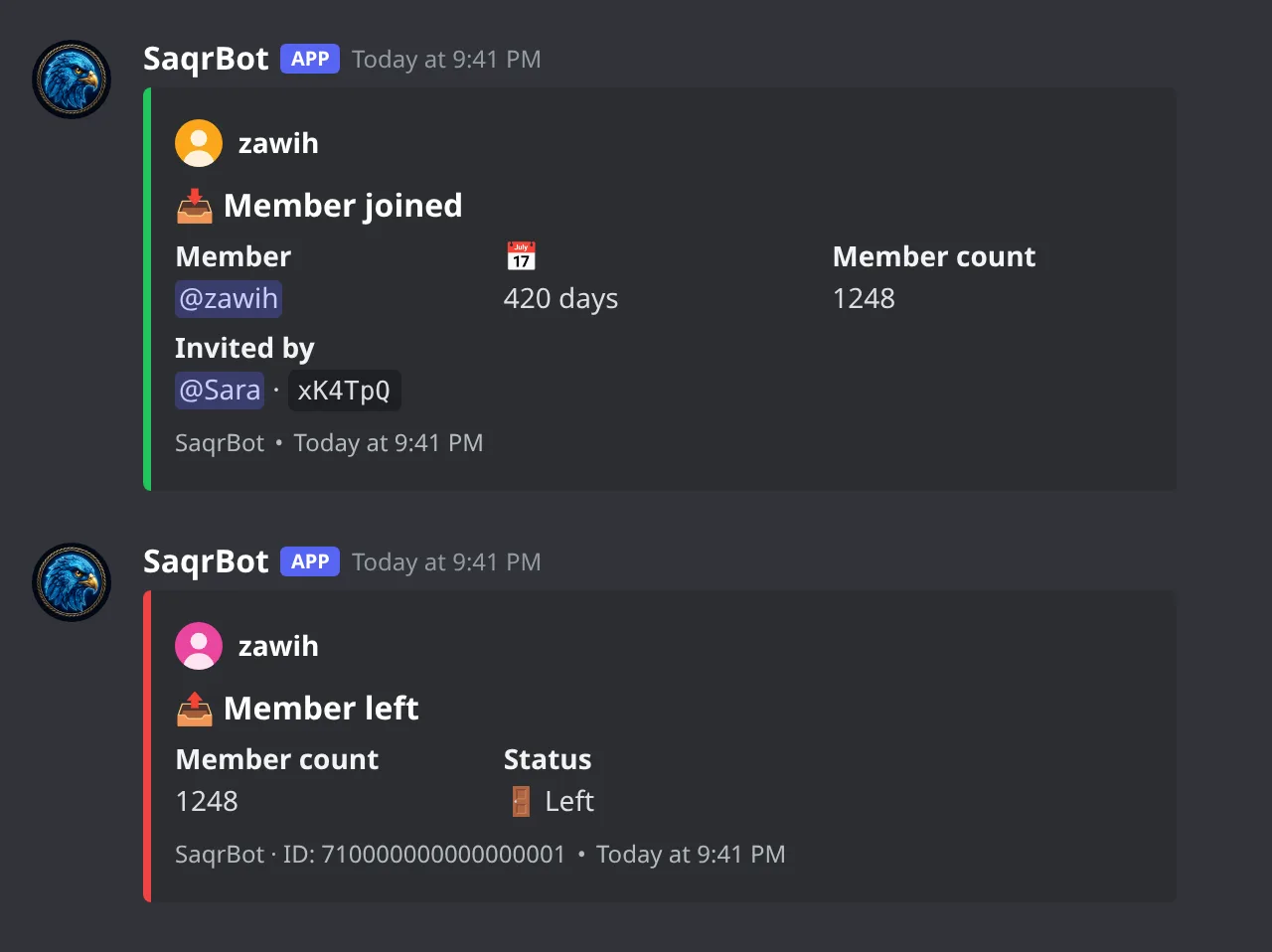
Joins and leaves
The join log shows the member, account age, member count and inviter; the leave log shows whether the member left or was kicked.
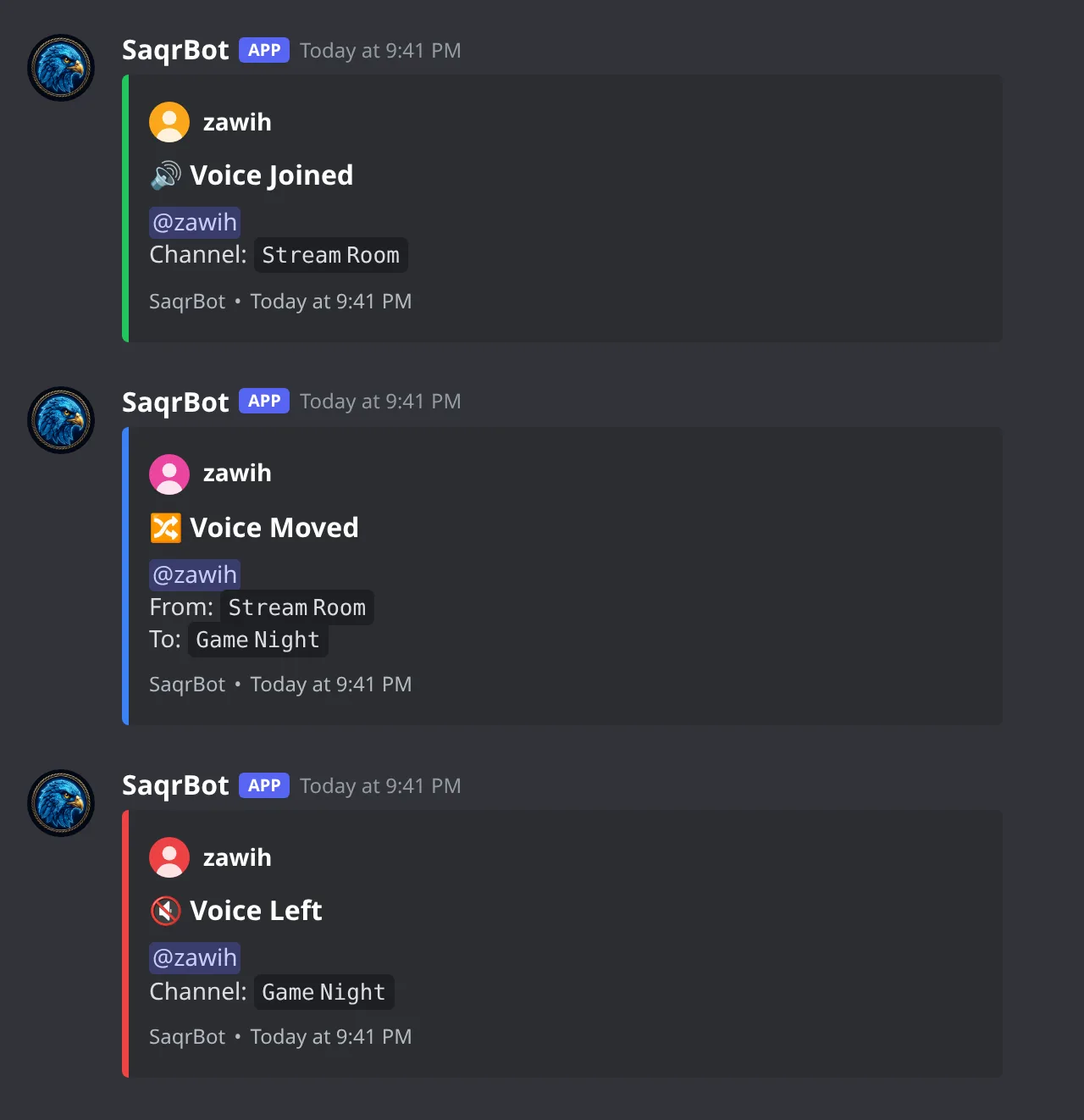
Voice: join, move and leave
One card per voice event: join, move, leave, plus mute, deafen, stream and camera changes.
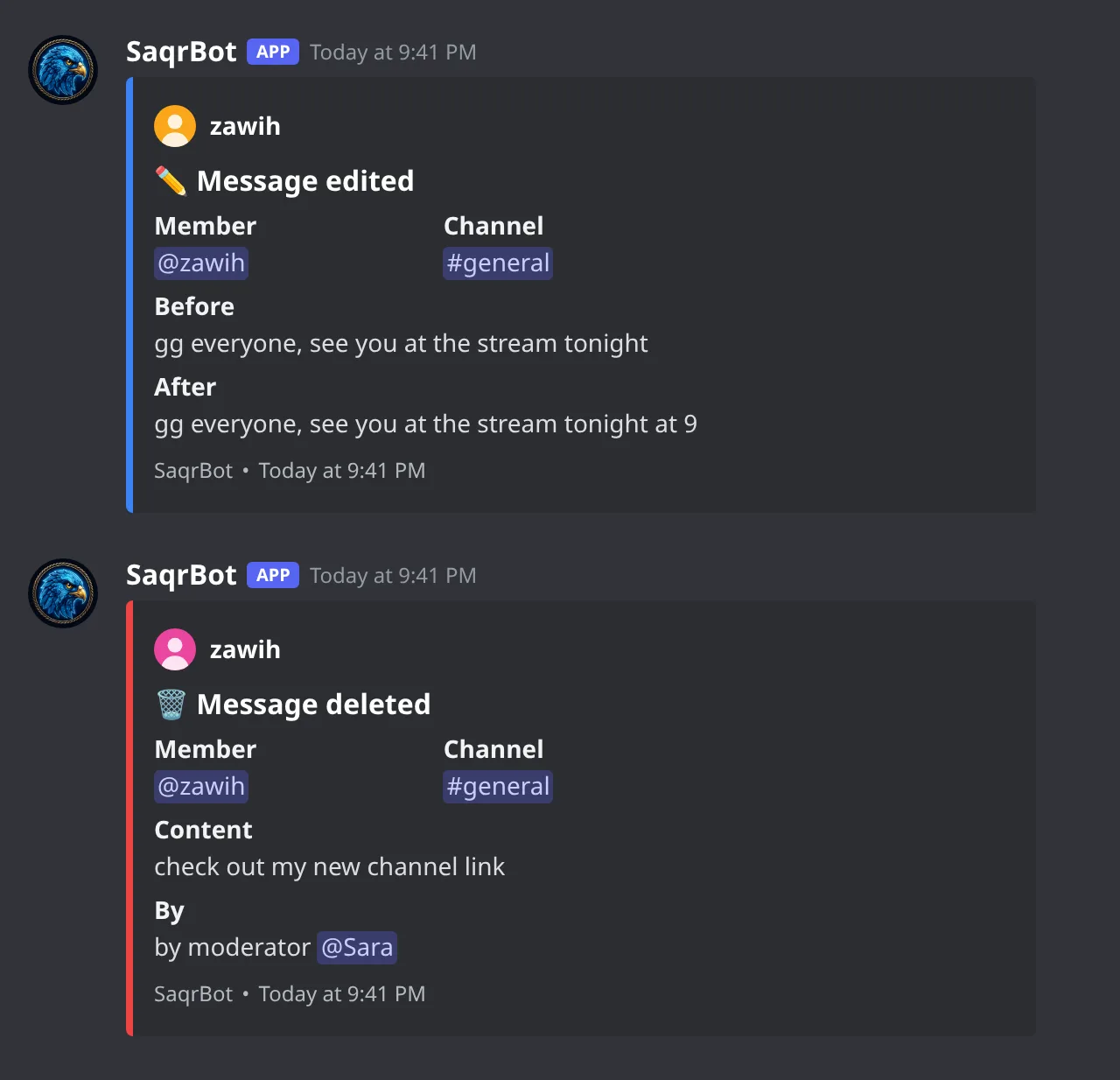
Message edits and deletes
Edit cards show the text before and after; delete cards keep the text and show who removed it or why.
Member and role changes
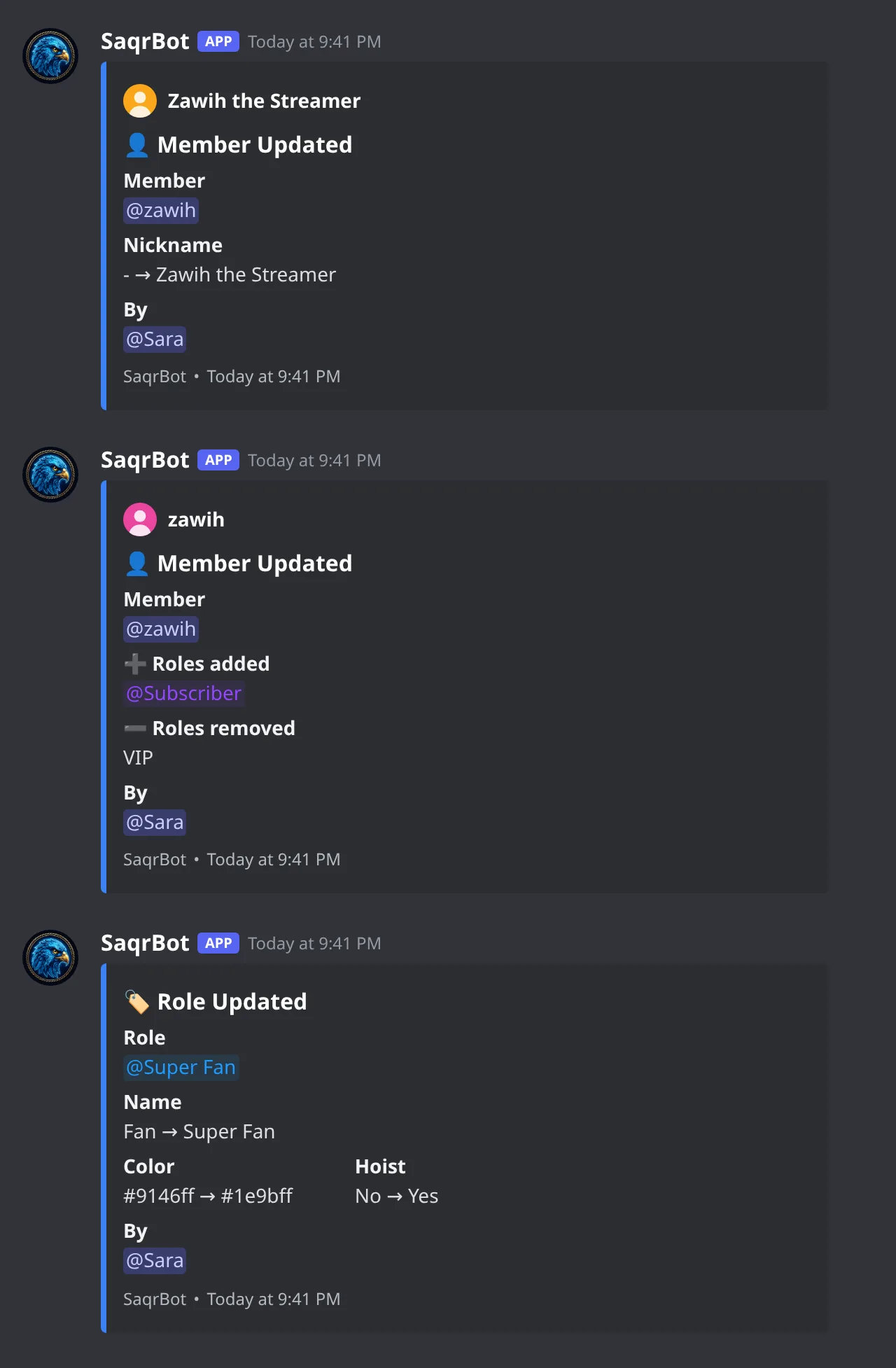
The Server channel logs nickname, role and timeout changes on members, and every edit to a role.
Ban, kick and mute
Ban, kick and mute actions land in the Moderation channel with the member, reason, moderator and duration.
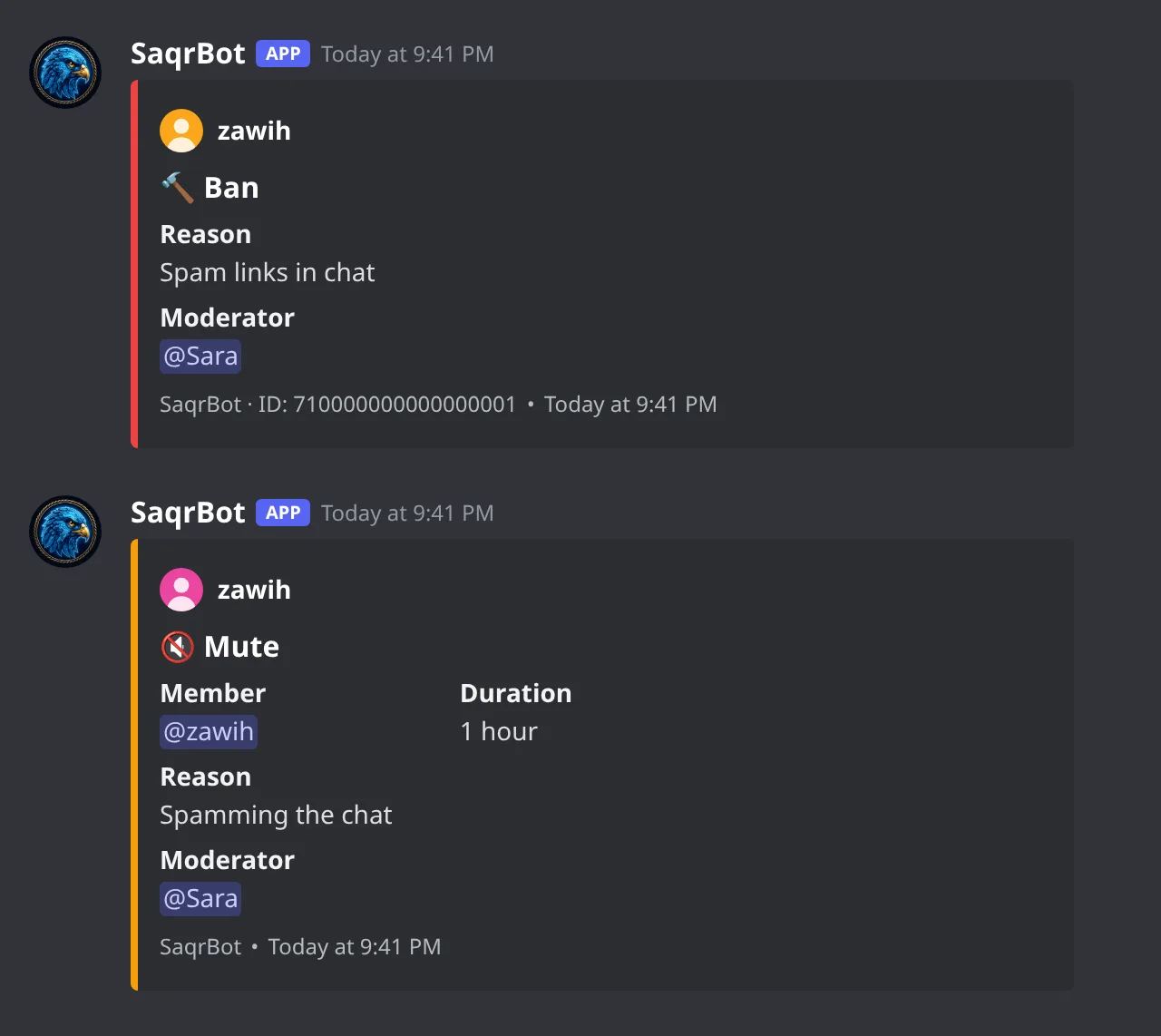
Pick a channel for each type with /setlog and these cards start arriving.
Per-Category Channels
Separate channels per log type for clean organization.
Setting Up Logs
Run /setlog, pick a type, choose a channel — about two minutes.
Why Logs Matter
Logs are evidence — essential for fair moderation.
How to set up a Discord logging bot with SaqrBot
Run /setlog
Run the /setlog command in your server to open the log configuration.
Pick the log type
Choose the log type you want to route: Moderation, Voice, Join/Leave, Chat, Server, Points, or Tickets.
Choose the channel
Select the Discord channel that this log type should post to.
Repeat per category
Repeat /setlog once for each of the 7 categories so every event type has its own channel. The whole setup takes about two minutes.
Related
Related reading links.
Frequently Asked Questions
What does a Discord logging bot do?
A Discord logging bot records every important server event — message edits and deletes, member joins and leaves, role changes, bans, kicks, voice activity, and server or channel changes — so you always have an audit log to fall back on. SaqrBot captures all of these and routes them to 7 separate log channels you configure independently.
What events does SaqrBot log?
SaqrBot tracks message edits and deletes (including bulk deletes), member joins and leaves, role assignments and removals, nickname changes, channel and role creates, deletes and updates, bans and unbans, kicks, voice activity (join, leave, move, and mute, deafen, stream or camera changes), server setting updates, and all moderation actions taken through SaqrBot.
How many log channels does SaqrBot support?
SaqrBot organizes everything into exactly 7 log channels, and you assign a separate channel to each: Moderation, Chat, Join/Leave, Voice, Server, Points, and Tickets. Keeping them apart means a moderator hunting a deleted message never has to scroll past voice or points noise.
How do I set up logging in Discord?
The fastest way is the /setlog command: run /setlog, pick the log type (Moderation, Voice, Join/Leave, Chat, Server, Points, or Tickets), and choose the channel it should post to. Repeat once per category and your logging bot is live. You can also manage the same 7 channels from the dashboard, and the whole setup takes about two minutes.
Is SaqrBot's logging bot free?
Yes. Every logging feature is free — all 7 log channels, independent routing, and full dashboard control are included at no cost, and you add SaqrBot to your server in about 10 seconds.
Why do server logs matter?
Logs are your server's security camera. When a member claims they were unfairly banned, you have the evidence. When someone deletes a toxic message, you have the original. When a raid happens, you can trace exactly what happened and when. Without logs, moderation becomes guesswork.
Never miss what happens in your server
7 log channels, independent routing, full control.
Add to Discord